
Fast replies are helpful, but trust is what keeps customers. The most reliable AI support workflows use strict scope, clear handoffs, and real ownership from the support team.
1. Start with one high-volume use case
Do not launch AI across every support queue at once. Pick one repetitive request type first, such as password resets, invoice copies, or order status questions.
Define success in advance: lower first response time, lower backlog, and unchanged CSAT. If those metrics improve for one use case, expand to the next.
2. Set boundaries the model cannot cross
Document what the assistant can do, what needs approval, and what must always route to a person. Billing disputes, legal requests, and account access changes usually belong in human queues.
Guardrails are not optional. They are the reason the AI feels consistent and safe for both customers and your team.
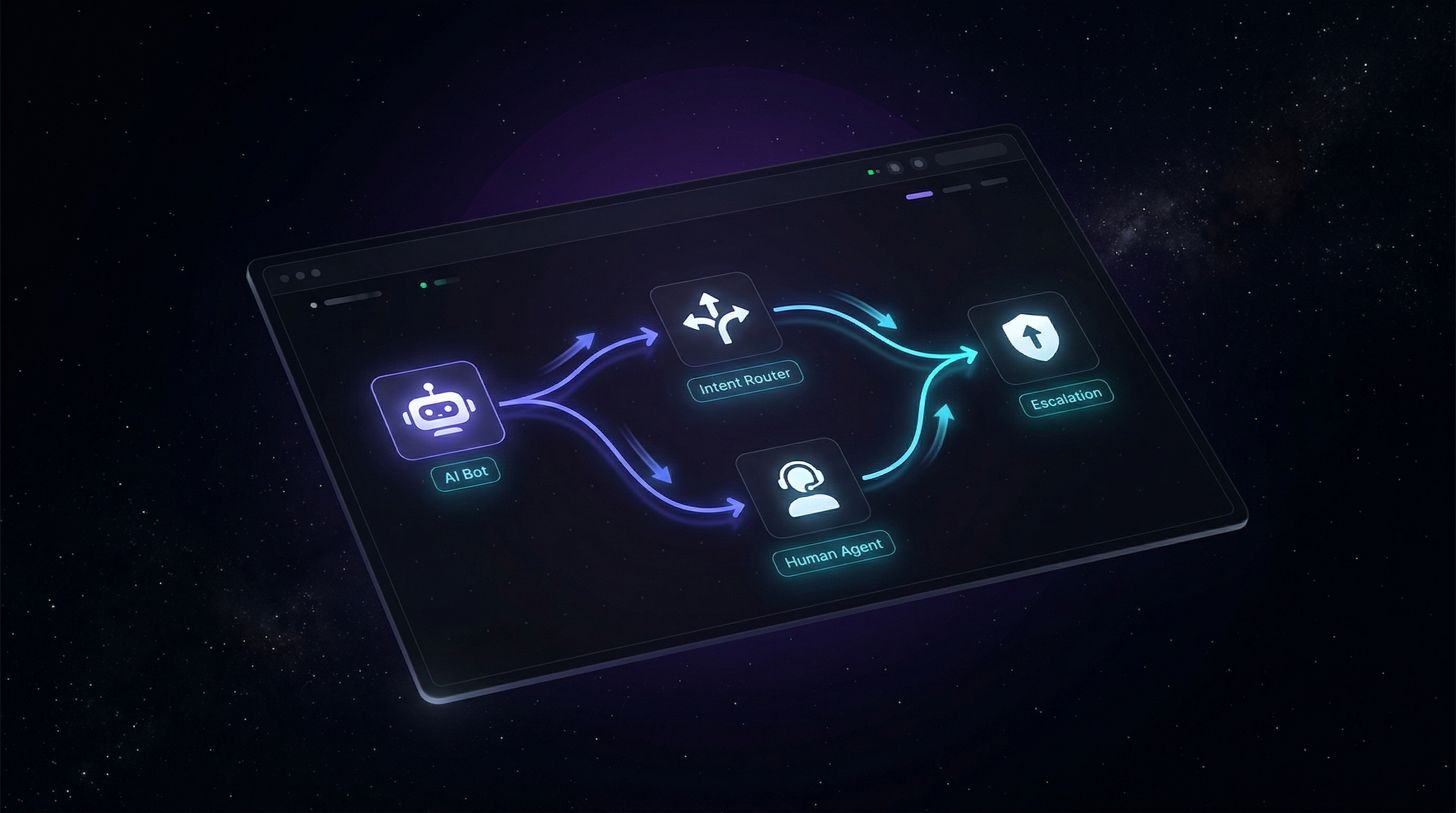
3. Make escalation instant and contextual
When the AI cannot resolve an issue, escalation should happen in one click with full conversation context attached. Customers should never repeat the same details twice.
A strong handoff includes intent, summary, priority, and suggested next action for the human agent.
Speed alone does not win support. Reliable resolution does.
4. Measure business impact, not chatbot volume
Track outcomes tied to revenue and retention: time to resolution, reopen rate, escalations per intent, and churn risk after support contact.
If the bot resolves more tickets but churn rises, the workflow is broken. Optimize for customer outcomes, not dashboard vanity metrics.
A simple 30-day rollout
Week 1: map your top 20 intents and pick one to automate. Week 2: build guardrails and escalation paths. Week 3: run a limited pilot. Week 4: review outcomes and decide where AI should expand next.
Teams that follow this sequence usually ship faster and avoid the common trust failures that make automation feel impersonal.
Möchten Sie AI Support einführen?
Starten Sie Ihren kostenlosen Specteron-Test und sehen Sie sich den Unterschied direkt an.
Jetzt starten